Garantire il ritorno dei giocatori è una delle maggiori sfide che qualsiasi struttura deve affrontare. Ora esiste un modo semplice e integrato per farlo. Ogni
Ecco cosa fa e come potete utilizzarlo nel vostro locale.
Una sfida con classifica automatica
Il libero
Configurarlo è semplice. Posiziona il codice QR fornito accanto al tuo

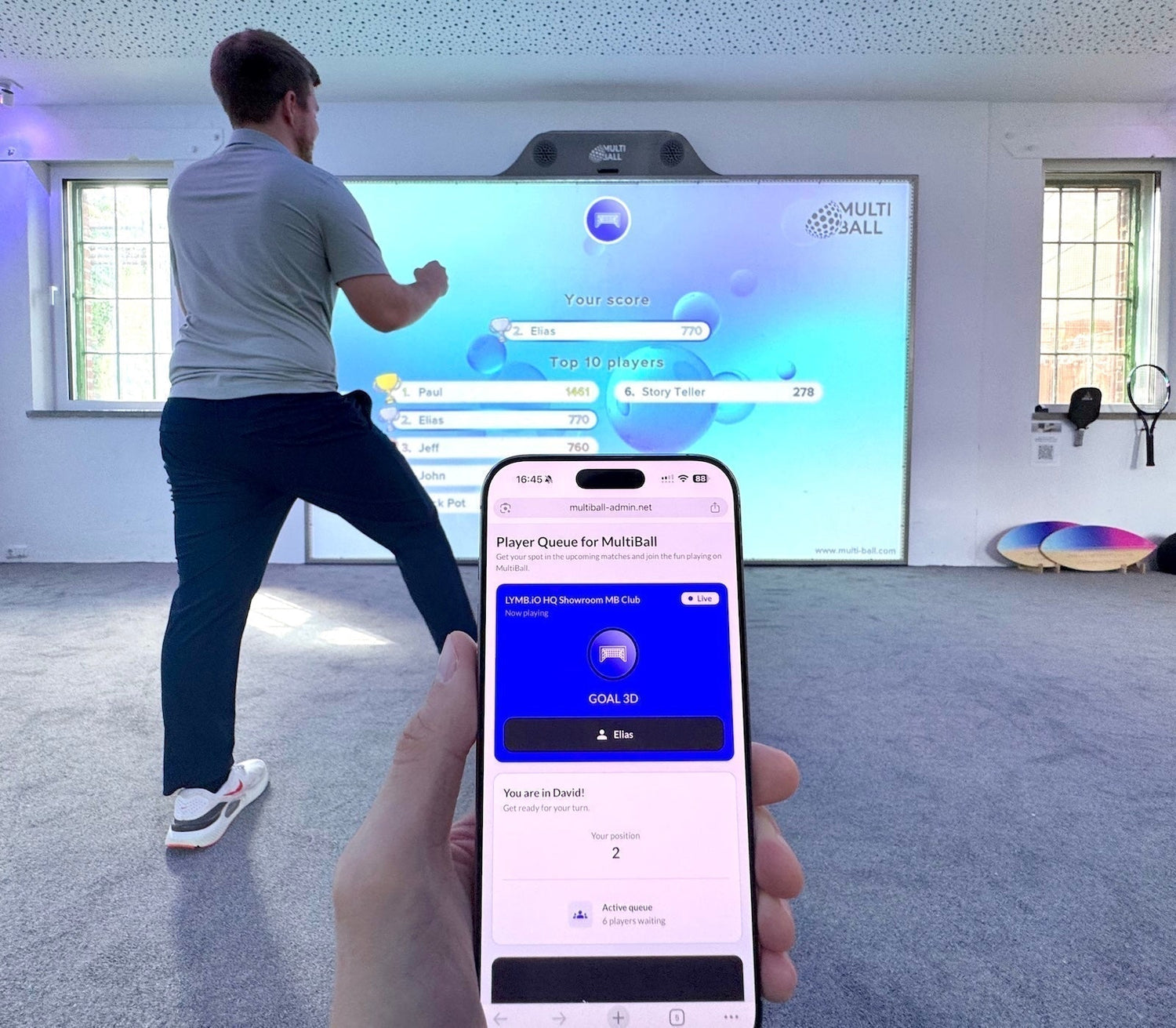
Grazie alla possibilità di visualizzare la classifica in tempo reale anche su un secondo schermo, lo spirito competitivo dei giocatori prende il sopravvento, mentre osservano il proprio nome scalare la classifica e gli altri tentare di superarli.
Creato per riportare i giocatori
Il valore reale del
Puoi attivarlo per un gioco specifico per incoronare un campione settimanale, oppure mantenerlo attivo per tutti i giochi del tuo sistema. In entrambi i casi, trasforma una visita occasionale in un'abitudine e fa del tuo muro dei trofei una meta a cui i giocatori tornano volentieri, anziché provarlo una sola volta.
Come il Player Queue Operatori di supporto
Tre cose rendono il libero
Puoi decidere di controllare il

Non costa nulla in più. Il gratuito
Stimola la competizione. Assegnando ai giocatori un nome, un punteggio e un motivo per competere, trasforma il gioco occasionale in un coinvolgimento costante che mantiene il locale sempre frequentato.
Si prega di notare che la funzione di avanzamento automatico è attualmente supportata solo per i giochi pubblicati a partire dal 2024.
Più potenza per gli eventi: Player Queue Pro
Per eventi e attivazioni,

Il modulo di iscrizione personalizzato è ora più facile da usare e molto più flessibile. Oltre all'indirizzo email, sono disponibili più opzioni di campo e maggiori possibilità di personalizzazione per adattarlo al tuo brand. Ora puoi collegare un singolo modulo a più sistemi o passare da un modulo all'altro a seconda delle esigenze. I giocatori possono iscriversi autonomamente per un funzionamento completamente automatico, oppure il tuo staff può gestire direttamente le iscrizioni e la coda.

Ogni iscrizione entra nella coda e salva i dettagli del giocatore come un lead che tu o il tuo cliente dell'evento potrete contattare in seguito, rendendolo uno strumento potente per eventi, omaggi e attivazioni del marchio. BMW ha dimostrato quanto possa essere efficace, generare più di 2.300 contatti durante un singolo evento tennistico.
Inizia oggi stesso
Il libero
Nel tuo locale manca l'intrattenimento interattivo? Scopri di più su parete sportiva interattiva